Skibidi Tech Install Third-Party Apps on iOS Safely
Published: 15 Mar 2026
Skibidi Tech is a popular service that allows iOS users to install third-party apps on their devices without the need for jailbreaking. By signing apps with trusted certificates, Skibidi Tech enables users to bypass the restrictions of the Apple App Store, offering more flexibility and access to apps that aren’t available through official channels. Whether you’re looking to install useful tools, games, or apps unavailable in your region, Skibidi Tech provides a safe and efficient way to sideload apps onto your iPhone or iPad without compromising your device’s security. In this guide, we’ll walk you through how Skibidi Tech works, its benefits, and how you can make the most of it.
What Is Skibidi Tech?
Skibidi Tech refers to a tool or service that allows iPhone and iPad users to install apps on their devices without needing to jailbreak them. The concept of app signing has been around for some time but has gained traction as an easy and secure way to sideload apps. Skibidi Tech provides users with a method to sign and install apps that are not available on the Apple App Store.
In simple terms, Skibidi Tech allows you to run third-party apps on your iOS device, bypassing the restrictions set by Apple, without needing to modify your device’s core software. This makes it a safe alternative to jailbreaking, offering the benefits of app flexibility while maintaining the integrity of your device.
How Skibidi Tech Works on iOS Devices
Skibidi Tech works by signing apps to make them compatible with iOS devices, allowing users to install them without any modifications to the system. It utilizes a certificate-based system to sign apps, essentially authorizing their installation.
When you use Skibidi Tech, you upload an IPA (iOS App) file, and the service signs it for you, providing a certificate that allows your device to trust and install the app. The process is similar to the enterprise app signing used by developers but tailored for the average user who doesn’t want to jailbreak their device.
The signed app can then be installed on your iPhone or iPad, providing you with the ability to run third-party applications and even test apps that aren’t in the App Store.
Benefits of Using Skibidi Tech for App Signing
There are several advantages to using Skibidi Tech over traditional methods like jailbreaking. Here are some of the key benefits:
- No Need to Jailbreak: Skibidi Tech works without modifying your device’s software, so there’s no risk of voiding your warranty or encountering issues that can arise from jailbreaking.
- Easier App Installation: By simply signing apps, you can install third-party applications without dealing with complex processes or risks associated with sideloading.
- Secure and Safe: Skibidi Tech uses certificates to ensure apps are trusted by your device, reducing the risk of malware or other security threats that are often associated with jailbreaking.
- Access to Unavailable Apps: Some apps are restricted or unavailable in certain regions. Skibidi Tech allows you to install these apps directly on your device.
With these benefits, Skibidi Tech provides a streamlined way to expand the functionality of your iOS device without risking security or stability.
Skibidi Tech vs Traditional Jailbreaking: Key Differences
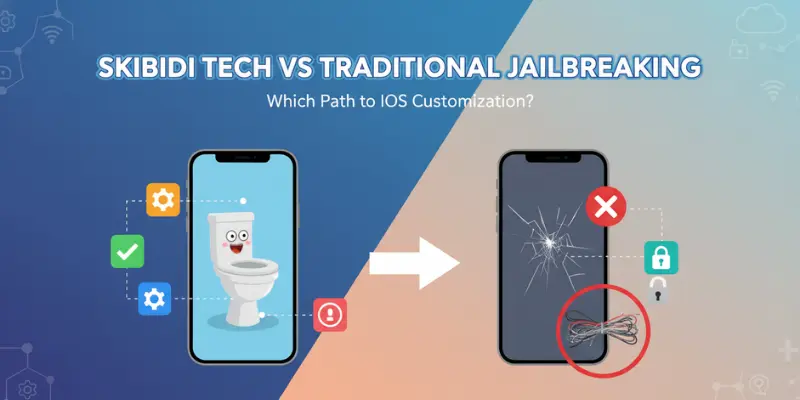
Both Skibidi Tech and jailbreaking allow you to install third-party apps on your iOS device, but there are some key differences between the two:
- Complexity: Jailbreaking requires more technical knowledge and often involves modifying system files, which can lead to complications if not done correctly. Skibidi Tech, on the other hand, is simple to use and doesn’t require any deep technical understanding.
- Security: Jailbreaking removes some of the security layers that Apple has in place, making your device more vulnerable to malware or security breaches. Skibidi Tech keeps your device’s security intact since it doesn’t require any system modifications.
- App Signing: Jailbreaking allows unrestricted app installations, but this can also result in installing harmful or unverified apps. Skibidi Tech ensures apps are signed and trusted by Apple, reducing the risk of installing malicious software.
In summary, Skibidi Tech offers a safer, simpler, and more secure alternative to jailbreaking while still allowing you to enjoy the flexibility of installing third-party apps.
How to Safely Use Skibidi Tech on Your Device
Using Skibidi Tech is simple and safe if you follow these basic steps:
- Find the App or IPA File: Locate the app or IPA file you want to install. Ensure the app is from a trusted source.
- Sign the App Using Skibidi Tech: Upload the IPA file to the Skibidi Tech service. The platform will sign the app for you, generating a certificate for installation.
- Install the Signed App: Once signed, you’ll receive a link or QR code to download the app. Follow the instructions to install it on your device.
- Trust the App on Your Device: Before opening the app, go to your device’s Settings > General > Device Management, and trust the certificate issued by Skibidi Tech.
By following these steps, you can safely use Skibidi Tech to install third-party apps without compromising the security of your device.
Skibidi Tech: Common Issues and Solutions
While Skibidi Tech is generally easy to use, there are a few common issues users may face. Here’s how to troubleshoot them:
- App Installation Failed: Ensure your device is running the latest version of iOS and that the app’s certificate is still valid. If the app fails to install, try re-signing it.
- App Crashes After Installation: This could happen if the certificate expires or if there’s an issue with the app itself. Re-signing the app might resolve the problem.
- Certificate Revoked: Apple occasionally revokes certificates for apps installed through sideloading services. In this case, simply re-sign the app using Skibidi Tech or try another method to get the app running again.
These issues are common but typically easy to resolve with a few simple steps.
The Best iOS Apps for Skibidi Tech Users
There are several iOS apps that work well with Skibidi Tech, allowing users to expand their device’s functionality. Here are some of the best:
- TweakBox: A popular app for downloading apps that are not available in the App Store.
- Cydia Impactor: A tool used for sideloading IPA files directly to your iOS device.
- AltStore: A service that allows users to sideload apps without jailbreaking their device, working similarly to Skibidi Tech.
- MovieBox Pro: An app that offers movies and TV shows for free, commonly sideloaded using Skibidi Tech.
These apps give users additional flexibility and access to content that’s not available through traditional means.
Is Skibidi Tech Safe? What You Need to Know
Skibidi Tech is generally safe to use, as it employs a certificate-based signing system to ensure that the apps are trusted by your device. However, like any tool that involves sideloading apps, it’s important to exercise caution:
- Source of IPA Files: Always ensure that the IPA file comes from a trusted source. Avoid downloading files from unreliable sites.
- Certificate Expiry: Be aware that certificates may expire, which can cause apps to stop working. Re-sign the app when needed.
- Privacy Concerns: Always read the privacy policy of the apps you install through Skibidi Tech. Avoid apps that ask for unnecessary permissions.
If used correctly, Skibidi Tech offers a secure and safe way to sideload apps on your iOS device.
How to Install Apps Using Skibidi Tech
Installing apps with Skibidi Tech is a straightforward process. Here’s how:
- Select the IPA File: Choose the IPA file of the app you want to install from a trusted source.
- Upload to Skibidi Tech: Upload the file to the Skibidi Tech platform to sign it.
- Install the App: Once signed, download the app and follow the instructions to install it on your device.
- Trust the App: After installation, go to Settings > General > Device Management, and trust the certificate.
This simple process allows you to install a wide range of apps without needing to jailbreak your device.
The Future of Skibidi Tech and iOS App Signing
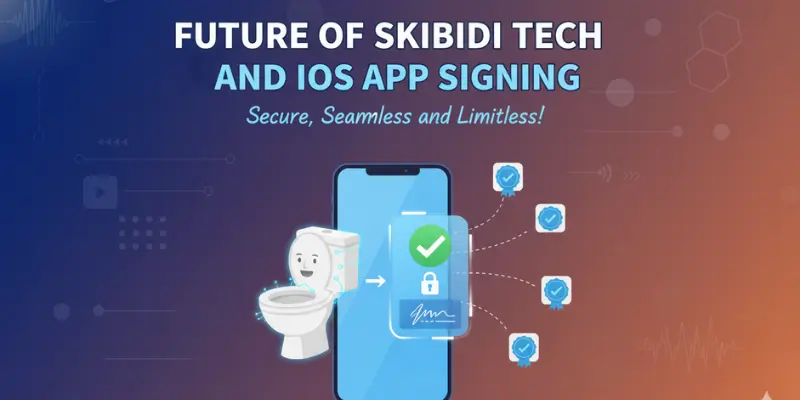
As iOS continues to evolve, so will the tools and services that allow users to install apps without jailbreaking. Skibidi Tech is likely to see further improvements, such as:
- Faster Signing Process: With ongoing updates, Skibidi Tech might become even more efficient at signing and installing apps.
- More App Compatibility: As iOS updates introduce new features, Skibidi Tech may support a wider range of apps and IPA files.
- Enhanced Security Features: To keep up with increasing concerns around privacy, Skibidi Tech might introduce additional security measures to ensure safe app installations.
The future of Skibidi Tech holds exciting possibilities for iOS users looking to enhance their device experience without jailbreaking.
Frequently Asked Questions About Skibidi Tech
Here are some of the most commonly asked questions about Skibidi Tech, along with clear answers to help you understand how it works and how to use it effectively.
Conclusion
Skibidi Tech offers a simple, secure, and efficient way for iOS users to install third-party apps without jailbreaking their devices. By signing apps with a certificate, users can enjoy the benefits of sideloading while maintaining the integrity and security of their devices. Whether you’re using Skibidi Tech to install popular apps or to try new third-party tools, this service provides a safe alternative to traditional app installation methods. Keep in mind the importance of using trusted sources and updating your apps regularly to ensure a smooth, hassle-free experience.






- Be Respectful
- Stay Relevant
- Stay Positive
- True Feedback
- Encourage Discussion
- Avoid Spamming
- No Fake News
- Don't Copy-Paste
- No Personal Attacks
- Be Respectful
- Stay Relevant
- Stay Positive
- True Feedback
- Encourage Discussion
- Avoid Spamming
- No Fake News
- Don't Copy-Paste
- No Personal Attacks
