Web Finance Made Simple: Manage Money Online Today
Published: 7 Feb 2026
You’re standing in a long bank line on your lunch break. Your phone buzzes. Bills are due. You’re stressed. There’s a better way. Web finance puts you back in control. No more rushing to the bank before it closes. No more wondering where your money went. Just simple, smart money management right from your phone or computer. Thousands of Americans already made the switch. They check accounts while sipping morning coffee. They pay bills in pajamas. They watch their savings grow with just a few taps. You can do this too. Your financial freedom starts today. Right here. Right now. Let’s make managing money as easy as checking your email.
What is Web Finance?
Web finance is the practice of managing your money through websites and mobile apps instead of visiting a physical bank. It includes banking, budgeting, investing, and making payments online using your phone, tablet, or computer. With web finance, you can check account balances, pay bills, transfer money, track spending, and grow your savings all from anywhere with internet access.
Why Web Finance Matters Today
Web finance matters today because it saves you time, gives you constant access to your money, and helps you make smarter financial decisions. Instead of visiting a bank during business hours, you can manage your accounts, pay bills, and track spending instantly from anywhere using your phone or computer. This means no more waiting in lines, no more rushing to the bank before it closes, and complete control over your finances 24 hours a day, seven days a week.
Types of Web Finance Tools
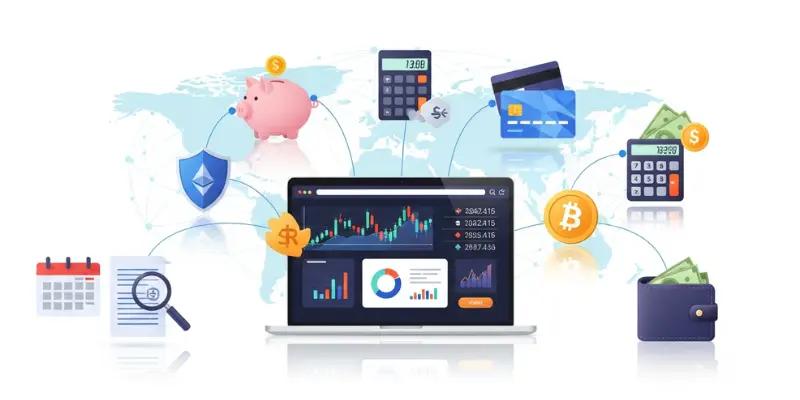
Managing your money online is easier when you use the right tools. Different tools do different jobs. Some help you bank from home. Others help you budget or invest. Knowing what’s out there helps you pick what works best for your life.
Here are the main types of web finance tools you can use:
- Online Banking
- Digital Wallets
- Budgeting Apps
- Investment Platforms
- Cryptocurrency Platforms
Common Applications of Web Finance
Web finance isn’t just one thing. It’s a set of tools you use for different money tasks throughout your day. From paying bills to tracking spending to growing your savings, these applications cover everything you need. Let’s look at the most common ways Americans use web finance right now.
Common applications include:
- Online bill payments – Pay utility bills, rent, and subscriptions from your phone
- Mobile check deposits – Deposit checks by taking a photo with your bank app
- Person-to-person transfers – Send money to friends and family instantly through Venmo or Zelle
- Balance checking – View your account balance anytime from anywhere
- Budget tracking – Monitor your spending and see where money goes each month
- Automated savings – Set up automatic transfers to grow your savings without thinking
- Investment management – Buy stocks and manage your portfolio through apps like Robinhood
- Credit score monitoring – Check your credit score for free through banking apps
- Transaction alerts – Get instant notifications when money leaves your account
- Expense categorization – Automatically sort spending into categories like food, gas, and entertainment
- Payment scheduling – Schedule future payments so you never miss a due date
- Digital receipts – Store and organize receipts from online purchases
- Currency exchange – Convert and send money internationally through PayPal or Wise
Benefits of Web Finance
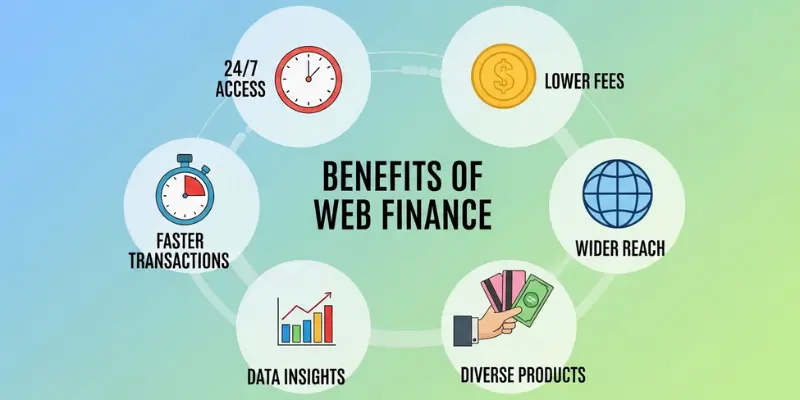
Web finance changes how you handle money. It makes everything faster, easier, and more convenient. You get control of your finances without leaving your home. Thousands of Americans already enjoy these benefits every single day.
Here are the main advantages:
- Convenience – Manage money from your phone anytime
- Speed – Instant transfers and payments in seconds
- Better tracking – See exactly where your money goes
- Lower fees – Many online services cost less than traditional banks
- Accessibility – Bank 24/7 from anywhere
- Time savings – Handle bills in minutes instead of hours
- Control – Make quick money decisions on the spot
- Security – Track transactions and spot problems fast
- Automation – Set up automatic payments and savings
- Peace of mind – Never miss a payment or wonder about your balance
How to Get Started with Web Finance
You want to start managing money online. But where do you begin? It feels like a lot. Too many apps. Too many choices. Too much to learn. Here’s the truth: starting is easier than you think. You don’t need to do everything at once. Just take one small step today. Then another tomorrow. In a few weeks, you’ll be managing money like a pro. Let’s break this down into five simple steps. Follow them one by one. Take your time. There’s no rush.
Step 1: Choose Your Tools
Start simple with just two apps.
- First, download your bank app. Check your app store for Chase, Bank of America, Wells Fargo, or whatever bank you use.
- Second, pick one budgeting app. Mint is free and easy for beginners. PocketGuard works great, too.
That’s it. Two apps. Nothing more right now.
Step 2: Set Up Accounts Safely
Keep your money safe from the start.
- Create a strong password using letters, numbers, and symbols. Something like “BlueCar$45!Moon” works well.
- Turn on two-factor authentication when the app asks. This sends a code to your phone each time you log in.
Never share your password with anyone. Not friends. Not family. Nobody.
Step 3: Link Your Bank Account
Now connect your budgeting app to your bank.
- Open your budgeting app and search for your bank name. Enter your bank username and password when it asks.
- The app will sync your transactions automatically. This takes a few minutes.
Start with just one account first. Add more later when you feel comfortable.
Step 4: Explore Features Slowly
Don’t try to learn everything at once.
- Start by just checking your balance for a few days. Then try looking at your transactions. Next week, pay one bill through the app.
- Learn one feature at a time. If you get stuck, search YouTube for tutorial videos about your app.
Step 5: Check In Weekly
Make checking your money a weekly habit.
- Pick one day each week, like Sunday morning. Spend 10 minutes reviewing your transactions and checking your budget.
- This keeps you aware of your spending and helps you stay on track with your money goals.
Safety Tips for Web Finance
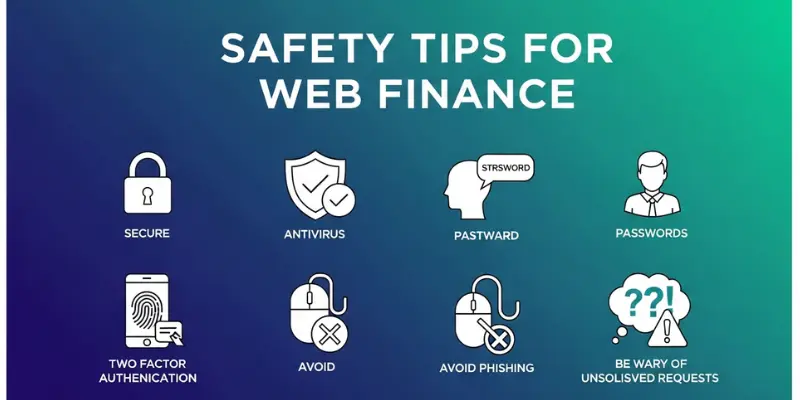
Your money is important. Keeping it safe online is even more important. Web finance is secure when you follow some basic rules. Think of it like locking your front door. You wouldn’t leave your house wide open, right? Same thing with your money online. A few simple habits keep hackers away and your accounts protected. Let’s go through the main safety tips you need to know.
These simple habits protect your money:
- Use safe Wi-Fi
- Update your apps
- Ignore phishing emails
- Check transactions regularly
- Lock your phone
- Report problems fast
Web finance is safe when you stay alert. Your money deserves protection.
Common Mistakes to Avoid
Everyone makes mistakes when starting web finance. That’s normal. But some mistakes can cost you money or put your accounts at risk. The good news? These mistakes are easy to avoid once you know about them. Let’s look at the most common ones so you don’t have to learn the hard way.
Remember these key points:
- Use strong, unique passwords
- Update apps immediately
- Read terms before agreeing
- Never share login details
- Always log out on shared devices
- Keep passwords in a safe physical place
Web finance is safe and convenient when you avoid these common mistakes. Protect yourself. Protect your money. Make smart choices from day one.
Frequently Asked Questions About Web Finance
Here are quick answers to the most common questions people ask about web finance.
Web finance is managing your money using websites and apps instead of visiting a bank. You check balances, pay bills, track spending, and transfer money from your phone or computer.
You download an app and connect it to your bank account. The app shows your balance and transactions. When you want to pay bills or move money, you do it through the app. Everything happens in seconds.
You save time. You bank anytime, anywhere. Payments happen instantly. You see where your money goes. Many services cost less than traditional banking.
Online banking is using your bank’s app to manage your accounts. Web finance includes online banking plus budgeting apps, digital wallets, and investment platforms.
Hackers are stealing passwords. Phishing emails. Weak passwords. Not updating apps. Sharing login details. Follow security rules; these risks are very low.
Many services are free. Your bank app is usually free. Mint is free. Basic Venmo is free. Premium features and instant transfers cost extra.
Smartphones, tablets, and computers. Most people use their phones for daily tasks and computers for bigger jobs.
Conclusion
So, guys, in this article, we’ve covered web finance in detail. You explored what it means, why it matters, and how to use it safely. You learned about banking apps, digital wallets, budgeting tools, and investment platforms. You discovered the benefits of managing money online and the simple steps to get started. Here’s what I personally recommend based on helping thousands of people start their web finance journey: begin where you are. Already have a bank? Download their app first. That’s your foundation. Use it for two weeks. Get comfortable.
Then add a free budgeting app like Mint or PocketGuard. Don’t jump into investing or cryptocurrency until you master the basics. Slow and steady wins this race. Web finance isn’t scary or complicated when you take it one step at a time. Your financial freedom is waiting. Download your bank app today. Right now. This moment. Check your balance and feel the power of having your money at your fingertips. Start small. Start today. Start now.




- Be Respectful
- Stay Relevant
- Stay Positive
- True Feedback
- Encourage Discussion
- Avoid Spamming
- No Fake News
- Don't Copy-Paste
- No Personal Attacks
- Be Respectful
- Stay Relevant
- Stay Positive
- True Feedback
- Encourage Discussion
- Avoid Spamming
- No Fake News
- Don't Copy-Paste
- No Personal Attacks
