IoT Telemetry Data Processing: A Simple Guide for Beginners
Published: 21 Dec 2025
IoT devices send minor updates all day. These updates tell you what a device sees, feels, or does. People call this stream telemetry. In this beginner guide, you will learn how IoT telemetry data processing turns raw messages into clear answers. You will see how teams handle telemetry data collection from sensors in homes, cars, and factories. You will learn how an IoT data pipeline moves messages into systems that people can trust.
You will also learn why IoT data cleaning matters when clocks drift, networks drop packets, or devices resend data. Next, you will explore how real-time IoT data helps you spot problems fast and act with confidence. Finally, you will learn how teams report results by tracking IoT dashboard metrics that show health, speed, and cost. This guide keeps every step simple. Ready to make device data useful?
What Is IoT Telemetry Data Processing?
IoT means “Internet of Things.” It is a group of physical devices that connect to the internet and share data. Telemetry means the minor updates a device sends about what it is doing or sensing. For example, a sensor can send temperature, speed, or battery level. Data processing is the set of steps you take to make raw data useful. You collect the messages, check if they look correct, fix common problems, and then store them so you can view them later. You also turn the data into simple outputs, such as charts, alerts, or reports. For example, a smart thermostat can send the room temperature every minute. After processing, you can see daily trends and spot unusual changes fast.
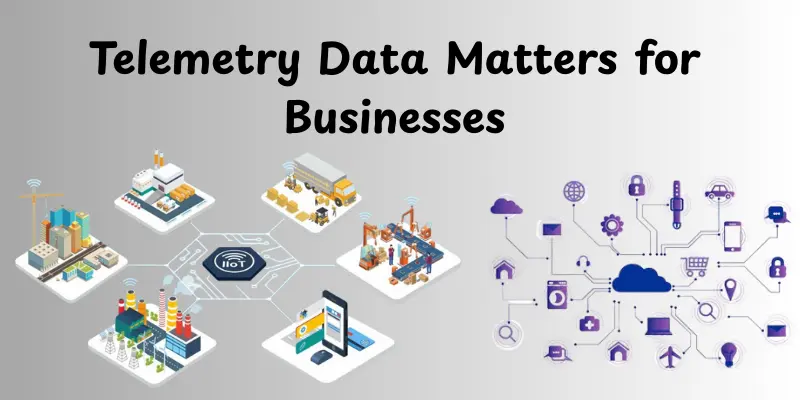
Why IoT Telemetry Data Matters for Businesses and Users
IoT telemetry data helps people see what devices do in real time. It helps businesses reduce downtime and improve service. It also allows users to stay safe, save money, and avoid surprises.
Better Safety and Faster Warnings
IoT telemetry shows early signs of danger. A system can notice high heat, gas leaks, or a low battery before a device fails. This supports quick action and fewer accidents. For example, a cold storage unit can alert staff when the temperature rises, helping keep food safe.
Lower Costs and Less Downtime
Businesses lose money when machines stop. Telemetry helps teams spot minor issues early and fix them during planned breaks. This reduces emergency repairs and wasted time. For example, a factory can track motor vibration and schedule maintenance before the motor breaks.
Better Customer Experience
Users want products that work smoothly. Telemetry helps companies find bugs, improve updates, and keep devices stable. It also allows teams to solve problems faster by showing the device’s reported results. For example, a smart camera app can detect weak Wi-Fi and guide the user to fix it.
Smarter Decisions with Data
Telemetry turns guesses into facts. Teams can track performance, compare sites, and see which settings work best. This helps with planning and improves products over time. For example, a delivery company can use GPS and fuel data to select more efficient routes and reduce fuel consumption.
What IoT Telemetry Data Looks Like in Real Life
IoT telemetry data looks like small messages that devices repeatedly send. Each message carries a reading, a time, and details about the device. When you put many messages together, you can see clear patterns over time.
Basic Parts of a Telemetry Message
Most telemetry messages include a device ID, a time stamp, and a reading value. They also include the name of the quantity, such as temperature or speed, and a unit, such as °C or km/h. This basic structure helps systems group data by device and sort it by time. It also allows teams to compare readings cleanly and fairly.
Common Real-Life Data Types from Devices
Different devices send different kinds of telemetry. A smart thermostat sends temperature and humidity. A fitness band sends heart rate and step count data. A delivery tracker sends GPS location and speed. A factory sensor sends vibration and voltage. These are all typical examples of telemetry because they are simple readings sent on a schedule.
Example: Smart Thermostat Message
A smart thermostat can send one message every minute. The message can include the device ID “THERMO-21,” the time “10:05,” and the temperature “24.5°C.” It can also include the current mode, like heating or cooling. When you collect these messages for a full day, you can see when the home warmed up, when it cooled down, and how stable the room stayed.
Extra Details That Make Data More Useful
Many messages include extra fields that add meaning. These fields can consist of battery level, signal strength, firmware version, and location. These details help teams troubleshoot faster. They also help explain why a reading changed, like a weak signal causing missing data or a new firmware update changing behavior.
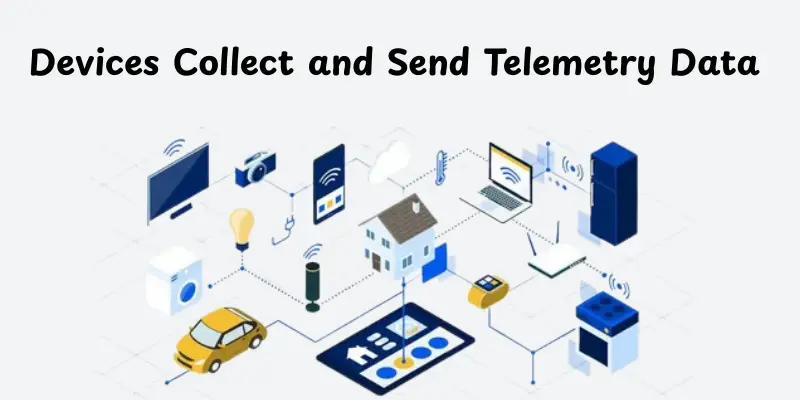
How IoT Devices Collect and Send Telemetry Data
IoT devices collect telemetry data using sensors that measure real-world signals. The device converts each reading into a short message with a timestamp and an ID. Then it sends that message to a server so people can monitor the device.
Sensors Capture Real-World Readings
Sensors measure things like temperature, motion, pressure, light, and vibration. The device reads these values at set intervals, such as every second or every minute. The device also adds practical details, like the unit and the device name. This step makes sure each reading has meaning and can be compared later.
The Device Packs Data into a Message
After the device reads the sensor, it formats the data into a simple message. The message often includes a device ID, a time stamp, the metric name, and the value. Some devices also add battery level or signal strength. This packaging step helps systems understand the data without having to guess.
Networks Carry the Message to the Cloud
The device sends the message over a network such as Wi-Fi, mobile data, Ethernet, or LoRaWAN. In many setups, a gateway helps by collecting data from multiple devices and forwarding it. This is common in factories and buildings. The goal stays the same: move data safely and on time.
Secure Delivery and Reliable Sending
Sound systems use security so only trusted devices can send data. They also use retries if the network drops. Some devices store data temporarily and send it later when the signal returns. This keeps the data more complete and improves monitoring accuracy.
How Telemetry Data Gets Stored
Telemetry data gets stored so you can query it fast, keep history, and prove what happened. Most systems save new readings in fast storage for live dashboards and alerts. They move older data to lower-cost storage for long-term reporting and auditing. A good setup also keeps raw messages so teams can replay data and fix past issues.
- Save recent data in hot storage for quick charts and alerts.
- Move older data to warm or cold storage to reduce cost.
- Store raw events so you can replay and reprocess later.
- Use time-based indexing to keep searches fast.
- Set retention rules and backups to protect data.
How to Clean and Fix Telemetry Data Issues
Telemetry data often arrives with minor mistakes. Devices can resend messages, networks can drop packets, and clocks can drift. Cleaning and fixing the data helps you trust what you see in dashboards and alerts.
Remove Duplicates and Fix Ordering
Devices sometimes send the same reading multiple times. Systems also receive events out of order when the network delays messages. A good cleaning step removes repeats and sorts data by device ID and timestamp. This keeps charts smooth and stops false alerts.
Handle Missing or Wrong Values
Some readings go missing during weak signals or power loss. Some values look impossible, like a fridge reporting 200°C. Cleaning rules mark missing points, drop impossible values, or replace small gaps with safe defaults. This keeps reports realistic and easier to understand.
Correct Time Problems and Standardize Units
Many issues come from timestamps. A device clock can be ahead or behind, which breaks trend lines. Adjust cleaning steps for clock drift and set a clear time zone rule. Teams also standardize units, such as converting Fahrenheit to Celsius, so comparisons remain accurate.
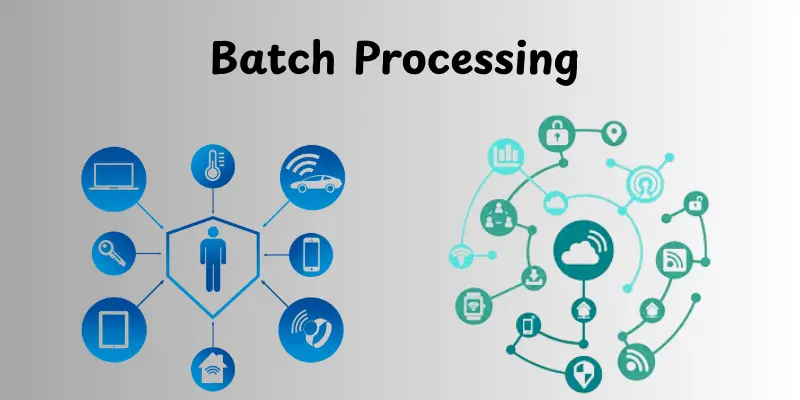
Real-Time Processing vs. Batch Processing
Real-time and batch processing are two common approaches to handling IoT telemetry data. Real-time work happens within seconds, so teams can react fast when something changes. Batch work runs later, often on a schedule, so that teams can analyze large amounts of historical data at lower cost. Many systems use both methods because each addresses a different need. When you choose the proper process, you reduce delays, lower computing costs, and get more precise results.
Real-Time Processing
Real-time processing checks incoming data as it arrives. It supports instant alerts, live dashboards, and quick device health checks. For example, if the cold room temperature rises above a safe limit for five minutes, the system can send an alert right away so staff can act before goods spoil.
Batch Processing
Batch processing processes data in batches, such as every hour or every night. It supports heavy reports, long trend analysis, and model training for future predictions. For example, a factory can run a nightly job that reviews a week’s worth of vibration data to identify motors that slowly drift toward failure.
How to Spot Problems Using Rules and Alerts
Problems show up in telemetry as values that look unsafe, strange, or out of pattern. Rules and alerts help you catch these issues early, before users complain or machines fail. A good alert tells you what happened, where it happened, and what to do next.
Set Simple Rules That Match Real Risks
Rules work best when they focus on real business risk, not every minor change. You can set a threshold rule, like “temperature above 8°C,” or a duration rule, like “above 8°C for 5 minutes.” You can also set rate rules, like “battery drops more than 10% in one hour.” These simple rules give fast value and are easy to explain to any team.
Reduce False Alerts With Smart Timing
Too many alerts create noise, and people start ignoring them. You can reduce noise by using a short waiting window, checking the same rule multiple times, and using warning and critical levels. You can also group alerts so one device issue does not trigger ten messages. This keeps alerts meaningful and helps teams respond faster.
Add Context So People Can Act Fast
An alert should include details that help with action. It should consist of the device name, location, last normal value, current value, and the date the change started. It should also suggest a next step, like “check power” or “restart gateway.” When you add context, you cut response time and improve trust in the system.
Track Alert Quality and Improve Over Time
Alerting is not “set and forget.” You should review which alerts were actual problems and which were false alarms. You can track how long it took to respond and how often the same device repeats the issue. Over time, you refine rules, adjust thresholds, and add better anomaly checks. This makes your monitoring system stronger every month.
How IoT Telemetry Supports Predictive Maintenance
IoT telemetry supports predictive maintenance by showing early warning signs before a machine fails. Devices send steady readings, such as vibration, heat, and power use. When you track these readings over time, you can spot slow changes and fix issues during planned downtime.
- Vibration trend checks: Rising vibration can signal loose parts or bearing wear, even when the machine still runs.
- Temperature drift monitoring: A gradual increase in temperature can indicate friction, poor cooling, or overload in a motor.
- Power and current patterns: A higher power draw can indicate extra resistance, blockage, or a failing component.
- Run-time and cycle counting: Counting hours and cycles helps plan service before parts reach their limit.
- Anomaly flags with baselines: Comparing current readings to the device’s normal range helps catch unusual behavior early.
- Maintenance timing alerts: The system can suggest a service window when risk rises, so teams avoid sudden breakdowns.
Frequently Asked Questions About IoT Telemetry Data Processing
Here are quick answers to common questions people ask about IoT telemetry data processing.
IoT telemetry data processing involves receiving device messages, validating and cleaning them, storing them, and generating useful outputs such as dashboards, alerts, and reports.
IoT devices send readings such as temperature, humidity, location, speed, battery level, signal strength, vibration, and status codes, along with a device ID and a timestamp.
Telemetry can be messy because networks drop messages, devices resend the same event, clocks drift, and data can arrive late or out of order, creating gaps and incorrect trends.
You clean telemetry data by removing duplicates, fixing timestamps, standardizing units, filtering impossible values, and marking or handling missing data so reports and alerts stay accurate.
Real-time processing checks data in seconds for live alerts and monitoring, while batch processing runs later on large blocks of data to create reports, trends, and training data for models.
Alerts use rules that monitor telemetry values and time windows, then notify teams when a threshold or pattern signals risk, such as a temperature remaining high for several minutes.
Telemetry helps predictive maintenance by tracking gradual changes in vibration, heat, power consumption, and error rates, so teams can fix machines early and avoid sudden failures.
Conclusion
IoT telemetry data processing helps you turn raw device messages into precise and valid results. It starts when devices send readings like temperature, speed, or battery level. It becomes valuable when you collect, clean, store, and use the data for dashboards and alerts. Clean data helps you trust what you see. Good storage lets you find answers quickly. Real-time processing allows you to act quickly when something goes wrong. Batch processing enables you to learn from history and improve future decisions.
By setting simple rules and intelligent alerts, you reduce downtime and protect users. When you track long-term patterns, you can support predictive maintenance and fix machines before they fail. The best systems stay simple, secure, and consistent. Start with a few key metrics, test your data quality, and improve step by step. What device do you want to monitor first, and what problem do you want to catch early?




- Be Respectful
- Stay Relevant
- Stay Positive
- True Feedback
- Encourage Discussion
- Avoid Spamming
- No Fake News
- Don't Copy-Paste
- No Personal Attacks
- Be Respectful
- Stay Relevant
- Stay Positive
- True Feedback
- Encourage Discussion
- Avoid Spamming
- No Fake News
- Don't Copy-Paste
- No Personal Attacks
